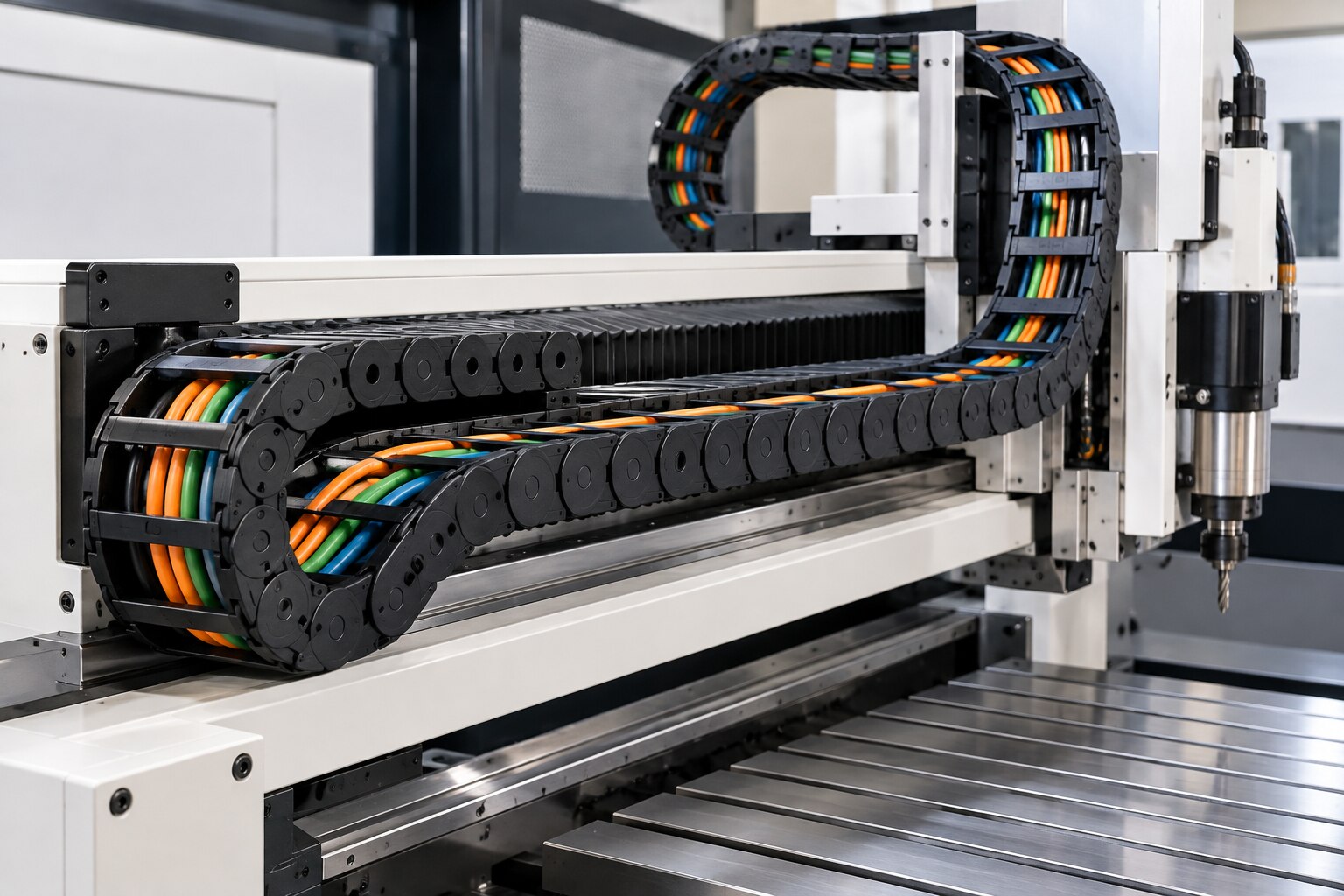
Chips, coolant sludge, abrasive dust and repeated axis movement can damage a cable carrier long before the machine stops. You will learn how to inspect the entire travel, clean and route the carrier correctly, diagnose the real failure, and decide between repair and replacement without ordering by size alone.
Key takeaways
- Inspect at every shift start, during planned maintenance, and after any machine crash.
- Remove debris without solvents that attack the carrier, then route cables without twist or tight bends.
- Match carrier width, inner height, bend radius, travel length, and mounting hardware before ordering.
- Replace cracked links or damaged cables when repair cannot restore safe, unrestricted movement.
How often should you inspect a CNC cable drag chain?
Inspect a CNC cable drag chain at every shift start, during planned maintenance, and after any crash. That duty-based schedule is more reliable than a monthly interval because axis cycles, travel distance and contamination determine wear.
1. At shift start, run the carrier through its complete travel and listen for unusual noise or stiff articulation. Watch for rubbing, abnormal sag, lateral movement, loose fasteners, cable jackets polished or cut, and coolant or swarf trapped between links.
2. During planned machine tool cable chain maintenance, isolate the machine using its lockout procedure and verify that stored energy is released. Inspect every link, crossbar, mounting bracket, separator and fixed-end strain relief. Look for cracked or whitened polymer, seized joints, elongated pin holes, excessive side play, missing separators and broken mounting points.
3. Inspect the first and last links closely. Cable direction changes and concentrated loads occur there, so local damage can develop while the middle section still looks sound.
4. For cable drag chain maintenance in Coimbatore, shorten the interval near foundries, granite or metal-cutting operations, heavy coolant mist and dusty workshops. Dust mixed with coolant forms an abrasive paste inside joints and guide channels.
5. After a crash, inspect the chain before restarting, even if the axis still moves. If sag exceeds the permitted unsupported length, check the manufacturer’s unsupported-length chart, cable mass, carrier orientation and guide-channel condition before adding fasteners; overload can damage the carrier.
How do you clean, lubricate and route cables inside the carrier?
Good machine tool cable chain maintenance starts with isolation. Apply the machine’s lockout procedure, release stored energy, and move the axis only when the machine procedure permits it.
1. Remove chips with a soft brush or low-pressure vacuum. Wipe coolant residue with a lint-free cloth and a cleaner approved for both the carrier polymer and cable jackets. Scrape hardened deposits carefully before dust turns them into abrasive paste. Do not direct compressed air into link pivots; it drives swarf deeper into the articulation.
2. Leave an ordinary polymer carrier
How do you verify cable carrier fit before ordering parts?
Verify fit by measuring the cable layout, not just the existing carrier’s outside width. For a cable carrier replacement in Coimbatore, record usable internal height and width, external dimensions, pitch, travel length, unsupported span, fixed-end and moving-end positions, orientation, bend radius, mounting-hole pattern and end-bracket type.
- Measure the outside diameter of every cable and hose. Calculate occupied area as π × (diameter ÷ 2)² for each item, then add the totals. Allow space for longitudinal movement, lateral clearance, separators or shelves, and heat dissipation; never pack the carrier completely.
- Check the maker’s fill limit for the exact series, internal layout and separator arrangement. Do not substitute an assumed percentage.
- Record acceleration, total moving mass and guide-channel condition. Unsupported length depends on these factors as well as travel distance; excessive sag is not fixed by adding cable ties.
- Use the moving cable’s specified minimum bend radius. A chain radius smaller than that value can fatigue conductors, damage shielding and crack the jacket.
- Confirm the complete part number before ordering links, crossbars, separators, brackets or strain-relief clamps.
| Item | Do not assume | Verify |
|---|---|---|
| 25x57 size | Internal height × width | Maker’s dimension convention |
| Mounting | Matching outside width | Hole pattern, end brackets and orientation |
| Bend radius | Carrier radius is sufficient | Largest cable’s minimum radius |
| Unsupported span | Travel length alone | Series chart, mass, acceleration and guide condition |
Measure the installed cable arrangement against the replacement drawing, including fixed and moving end positions. Visually similar parts from different series can alter pitch, articulation and cable clearance.
When should you repair a cable drag chain or replace it?
Replace the carrier when damage affects its structure or the remaining chain cannot maintain the cable’s required path. First separate a chain fault from a cable fault, alignment fault or unsupported moving cable; replacing the wrong component will not stop repeat failures.
1. Treat a stiff or noisy joint, cracked or whitened link, broken bracket, excessive side play, deformed link, elongated pin hole or permitted-span sag as a carrier or support fault. Check the manufacturer’s unsupported-length chart before tightening anything; excess cable mass, incorrect orientation or a damaged guide channel can overload the chain.
2. Treat a polished, cut or flattened cable jacket, exposed braid or shield, failed shielding continuity, damaged connector or failed insulation-resistance result as a cable fault. Electrically isolate the machine and replace the damaged cable; a new carrier cannot reverse repeated-bend damage.
3. Repair the carrier only when the remaining links have no structural cracks, deformation or excessive pin wear. Match the original series, pitch, usable width and bend radius. Do not mix visually similar links, crossbars or brackets from different series because articulation and cable clearance can change.
4. For cable drag chain repair in coimbatore, record the exact carrier part number before ordering inner or outer links, crossbars, separators, mounting brackets, guide-channel pieces or strain-relief clamps. These drag chain spare parts in coimbatore are not universally interchangeable.
For cable carrier replacement in coimbatore, SSB INDUSTRIAL SOLUTIONS can use travel, orientation, cable diameters, moving mass and mounting-pattern records to identify a compatible assembly. A request for a generic “chain link” is not enough.
Related product
 | Mimy Make Cable drag chains Sizes starting from 10x15, 15x20, 18x25, 25x37, 25x57, 25x75, 35x75, 35x100, 35x125 View product → |
How do you test the carrier after maintenance?
Restart only after the carrier passes a physical and dynamic check. A static inspection will not reveal cable migration, torsional movement or snagging during acceleration.
1. Isolate the machine under its electrical-safety procedure before touching the carrier. Recheck every mounting fastener, crossbar, separator, cable clamp and fixed-end strain relief. Confirm strain relief at both ends so the carrier guides the cable instead of pulling on a connector or machine terminal.
2. Check that the cable has not migrated through the chain. During machine tool cable chain maintenance, inspect the first and last links, mounting brackets and fixed-end strain relief closely; these points carry changing cable direction and concentrated loads.
3. Restore guards and protective systems, then run the axis at reduced speed through its complete stroke. Watch both ends and the middle for lateral migration, rubbing, link interference, abnormal sag, cable twist and snagging. Listen for new clicking or grinding.
4. Stop immediately if a cable jacket contacts a sharp edge or a link binds. Correct the alignment, guide-channel position, bend radius or cable arrangement before increasing speed.
5. Run a controlled full-speed cycle, then inspect the fasteners and strain relief again. After cable work, verify continuity, insulation resistance, shielding or protective-conductor continuity and connector condition under the machine’s electrical-safety procedure. IEC 60204-1 covers machine electrical equipment and protection against electric shock; mechanical replacement does not replace electrical verification.
Record the inspection date, machine axis, carrier part number, wear found and corrective action. For cable drag chain maintenance in Coimbatore, these records let the next interval follow actual duty and contamination. A replacement carrier will not repair repeated-bend cable damage.
Frequently asked questions
How often should you inspect a CNC cable drag chain?
Inspect the chain at every shift start, during planned maintenance, and after any crash. Check for cracked links, missing separators, loose mounting points, cable rubbing, debris, and restricted travel.
How do you clean, lubricate and route cables inside the carrier?
Stop and isolate the machine before maintenance. Remove chips and dust with a brush or vacuum, avoid solvents that attack the carrier material, and follow the manufacturer’s lubrication instructions. Route each cable without twisting, keep cables separated, and maintain the specified bend radius and spare space.
How do you verify cable carrier fit before ordering parts?
Measure the carrier’s inner width and height, cable bundle diameter, bend radius, travel length, mounting style, link pitch, and connector clearance. Compare those measurements with the carrier drawing and confirm the material suits the coolant, chips, temperature, and travel speed.
When should you repair a CNC cable drag chain or replace it?
Repair the carrier when a replaceable link, separator, guide, or mounting bracket is damaged and the frame remains straight. Replace it when links are cracked repeatedly, the chain binds, mounting points are distorted, or cable damage indicates that safe movement cannot be restored.
How do you test the carrier after maintenance?
Check that every cable moves freely and stays within its bend radius. Jog the axis slowly through its full travel, listen for scraping or clicking, inspect cable clearance at both ends, then repeat the test at operating speed before returning the machine to production.
Keywords